Introduction

The Manetu PolicyEngine (MPE) is a programming language agnostic access-control and governance layer that organizations use to protect software assets such as Application Programming Interfaces (APIs) and sensitive data using a Policy-Based Access Control (PBAC) model.
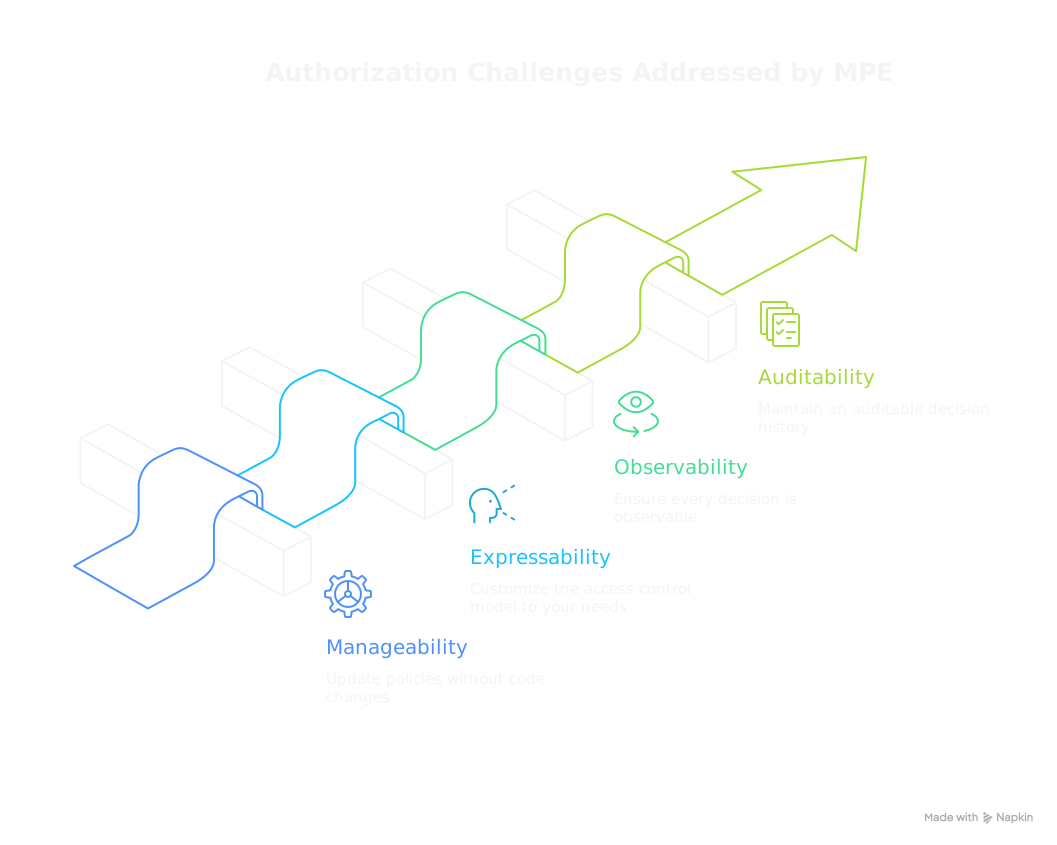
As a core component of the Manetu governance platform, MPE provides the policy evaluation engine that enables fine-grained, context-aware access control across data, APIs, and services. It features a high-performance, flexible architecture with comprehensive tooling for policy development and testing.
Community and Premium Editions
The Manetu PolicyEngine is available in two editions:
-
Community Edition— (this project) A fully functional policy engine that you can embed in your applications or run as a standalone service. It provides everything you need to author, test, and enforce policies.
-
Premium Edition— Commercial enhancements available through a licensing arrangement with Manetu. Premium builds on the Community foundation to add enterprise-grade capabilities for organizations with advanced governance, observability, and operational requirements.
Feature Comparison
| Feature | Community | Premium |
|---|---|---|
| Core Policy Engine | ||
| OPA/Rego policy evaluation | ||
| PolicyDomain model (policies, roles, groups, scopes) | ||
| Multi-phase policy evaluation | ||
| Local resource resolution via selectors | ||
| Decision Replay | ||
| Istio/Envoy Integration | ||
| Developer Tooling | ||
| CLI for build, lint, and test | ||
Local development server (mpe serve) | ||
| Integration | ||
| Embeddable Go library | ||
| HTTP decision service | ||
| Architecture & Platform | ||
| Stateless, horizontally scalable PDPs | ||
| Flexible deployment: embedded, sidecar, or standalone | ||
| Multi-architecture support (amd64, arm64) | ||
| Update policies without application restart (static reload) | ||
| GitOps compatible policy updates | ||
| Enterprise Features | ||
| Update policies without PDP restart | ||
| Kubernetes Operator with auto-scaling sidecars | ||
| Centralized policy administration | ||
| ElasticSearch integration for audit storage, indexing, and reporting | ||
| Queryable Audit History | ||
| Analytics Dashboards | ||
| Streaming Live Audit | ||
| Visual Policy Replay+Debugger | ||
| External resource resolution integration (CMDBs, APIs, etc) |
The Premium Edition requires integration via the HTTP interface to enable enterprise features such as centralized audit and policy coordination. The embeddable Go library is available only in the Community Edition.
Interested in Premium features? Contact Manetu to learn more.
Who This Documentation Is For
- Developers who need to integrate the Manetu PolicyEngine into their applications
- Policy Authors who need to develop policies for applications protected by the Manetu PolicyEngine
- DevOps Engineers who need to deploy and manage policy decision points
Key Features
Least Privilege by Design
The PolicyEngine is architected to make the Principle of Least Privilege practical at scale:
- Default DENY: Access is denied unless explicitly granted—new principals start with zero permissions
- Observable Decisions: Every authorization decision generates an AccessRecord with full context
- Policy Replay: Test policy changes against real traffic before deploying
- Evidence-Based Refinement: Start with strict policies and iteratively expand access based on observed needs, not guesswork
This observable architecture transforms access control from a guessing game into an evidence-based practice. Rather than granting broad permissions "just in case," you can safely start restrictive and expand access precisely where it's demonstrated necessary. See Audit & Access Records for details on the iterative refinement workflow.
Open Policy Agent Integration
The Manetu PolicyEngine is built on Open Policy Agent (OPA), an open-source engine for executing policy statements. You can use the rich ecosystem for designing and debugging policy expressions in the Rego language to precisely control access to your resources.
PolicyDomain Model
Policies are organized into PolicyDomains - self-contained bundles that define:
- Policies: Rego code that makes access control decisions
- Policy Libraries: Reusable Rego code shared across policies
- Roles: Named policy assignments for identity-based access
- Groups: Collections of roles for organizational structure
- Resource Groups: Policy assignments for resource-based access
- Resources: Selector-based routing of resources to groups (v1alpha4+)
- Scopes: OAuth-style permission boundaries
- Operations: Route requests to appropriate policies
- Mappers: Transform external inputs (like Envoy requests) into PORC expressions
Developer-Friendly Tooling
The mpe CLI provides comprehensive tooling for the policy development lifecycle:
mpe build: Compile PolicyDomain definitions from external Rego filesmpe lint: Validate YAML syntax and lint embedded Rego codempe test: Test policy decisions with various inputsmpe serve: Run a local policy decision point for development
Advanced debugging capabilities include --trace mode for line-by-line policy evaluation tracing. The Premium Edition adds decision replay with visual code coverage, benchmarking, and historical analysis.
Cloud-Native Architecture
MPE is built for modern, web-scale microservice architectures:
- Language Agnostic: Protect resources consistently across services written in any language—Go, Python, Java, TypeScript, Rust, and more—using a unified HTTP API
- Horizontally Scalable: Stateless PDPs scale out effortlessly to meet any performance or availability requirements
- Flexible Deployment: Run the PDP embedded in your application, as a 1:1 sidecar, or as a shared standalone service
- Decoupled Updates: Update policies independently without recompiling or redeploying your applications
- Multi-Architecture: Native support for both amd64 and arm64 infrastructure
Next Steps
- How It Works - Understand the architecture before diving in
- Getting Started - Set up your development environment
- Quick Start - Create your first PolicyDomain
- Concepts - Understand core concepts in depth
- Integration - Integrate the PolicyEngine into your application
- Reference - Complete CLI and schema reference