How It Works
Before diving into installation and policy authoring, it helps to understand how the Manetu PolicyEngine fits into your application architecture. This page explains the core concepts you'll encounter throughout the documentation.
The Big Picture
The Manetu PolicyEngine is an authorization and governance service—it answers the question "Is this action allowed?" Your application asks, the PolicyEngine answers. Every decision is policy-driven, observable, and auditable.
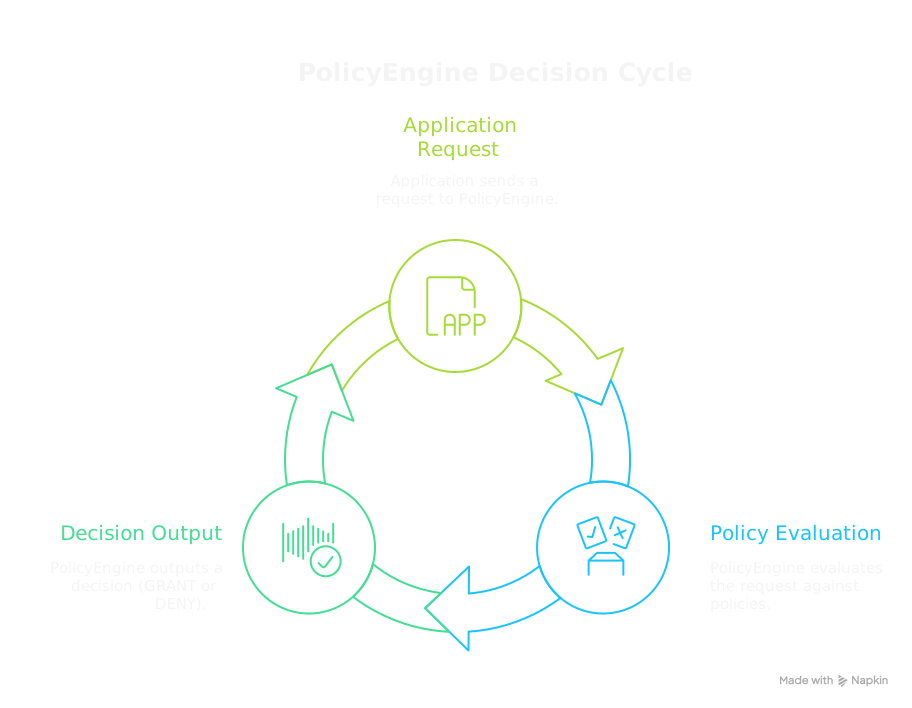
This separation is powerful: your application handles business logic while the PolicyEngine handles access control. Policies can be updated without changing application code.
Key Concepts
Policy Decision Point (PDP)
The PDP is the PolicyEngine itself. It:
- Receives authorization requests
- Evaluates them against policies
- Returns GRANT or DENY decisions
- Emits an AccessRecord for every decision
The PDP is stateless—it doesn't know your application's business logic. It only knows the policies you've defined and the information you send with each request.
Every decision generates a normalized AccessRecord that captures the complete evaluation context: the input PORC, the final decision, and details about each policy evaluated. This audit trail enables compliance reporting, anomaly detection, and forensic analysis. See Audit & Access Records for details.
Policy Enforcement Point (PEP)
A PEP is code in your application that enforces access control. You create PEPs wherever you need to protect something. You might have one PEP or dozens—wherever your application needs to make an access control decision.
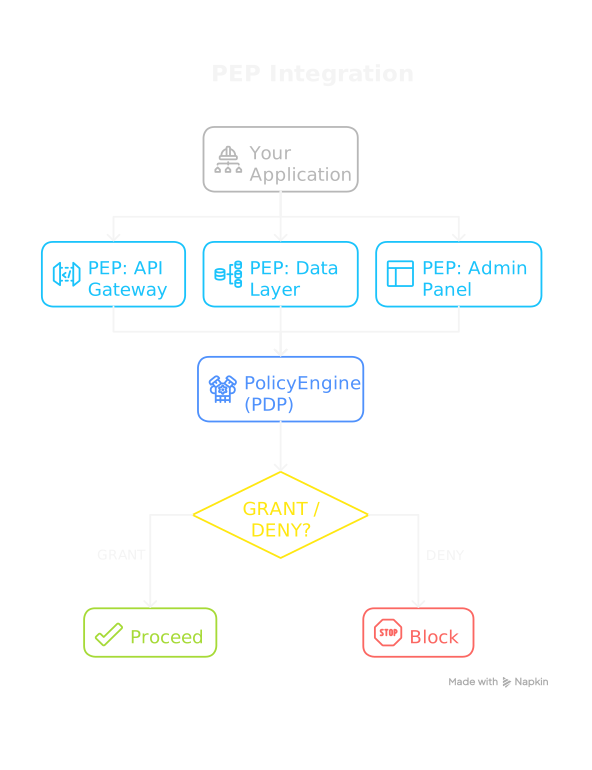
Each PEP:
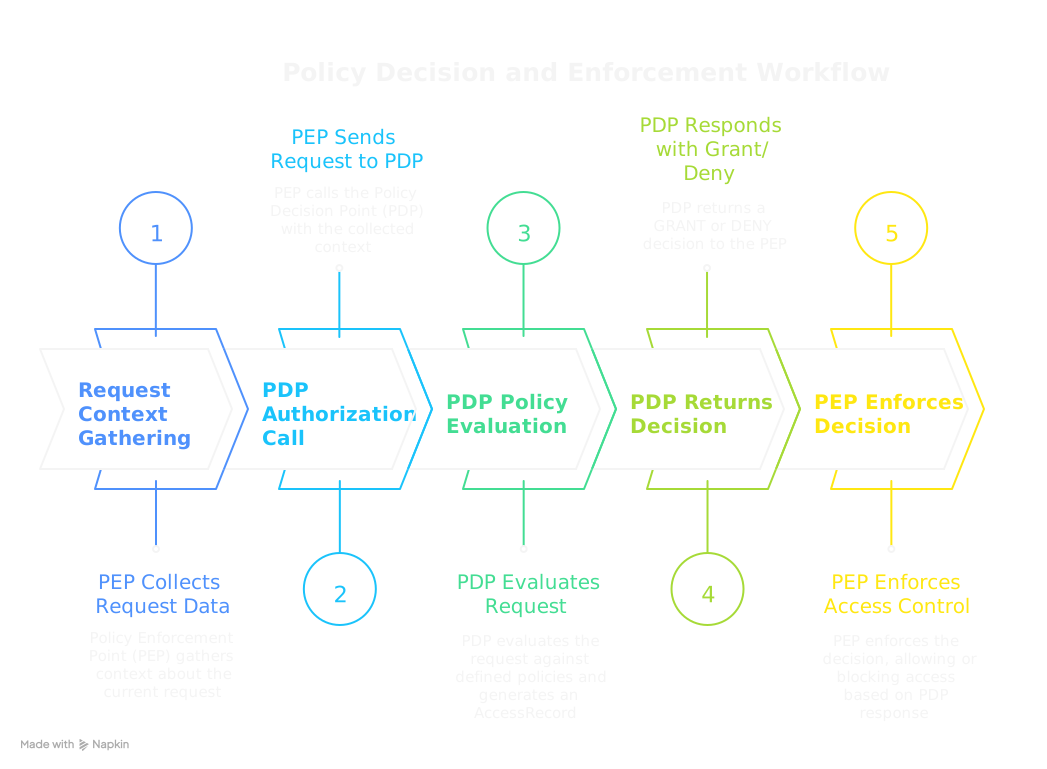
- Gathers context about the current request (who's asking, what they want, what resource is involved)
- Calls the PDP with that context
- Enforces the decision (proceeds if GRANT, blocks if DENY)
PORC: The Authorization Request Format
When a PEP calls the PDP, it sends a PORC expression—a standardized format containing everything the PolicyEngine needs to make a decision:
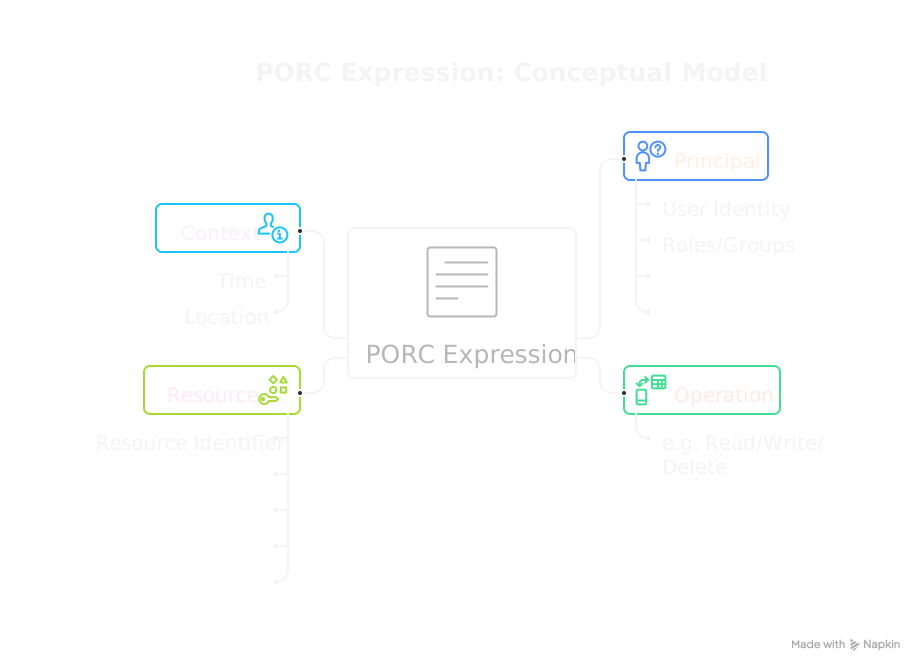
The following is an example of what a PORC expression looks like:
{
  "principal": {
    "sub": "alice@example.com",
    "mroles": ["mrn:iam:role:editor"]
  },
  "operation": "api:documents:update",
  "resource": "mrn:app:document:12345",
  "context": {
    "source_ip": "10.0.1.50"
  }
}
Your PEP constructs a PORC expression from whatever information is available (JWT tokens, request headers, database lookups) for every request that requires access control and sends it to the PDP.
PolicyDomains: Where Policies Live
A PolicyDomain is a bundle containing everything the PolicyEngine needs to make decisions:
- Policies: The actual rules written in Rego (OPA's policy language)
- Roles: Named collections of permissions for users
- Groups: Collections of roles for organizational structure
- Resource Groups: Policy assignments for resource-based access
- Scopes: Permission boundaries (like OAuth scopes)
- Operations: Routes requests to appropriate policies
You author PolicyDomains as YAML files (with embedded or external Rego code) and load them into the PolicyEngine. The PolicyDomain is an injected configuration that defines what policies exist, how roles map to policies, and how requests are routed.
The Development Workflow
Here's how you'll typically work with the PolicyEngine:
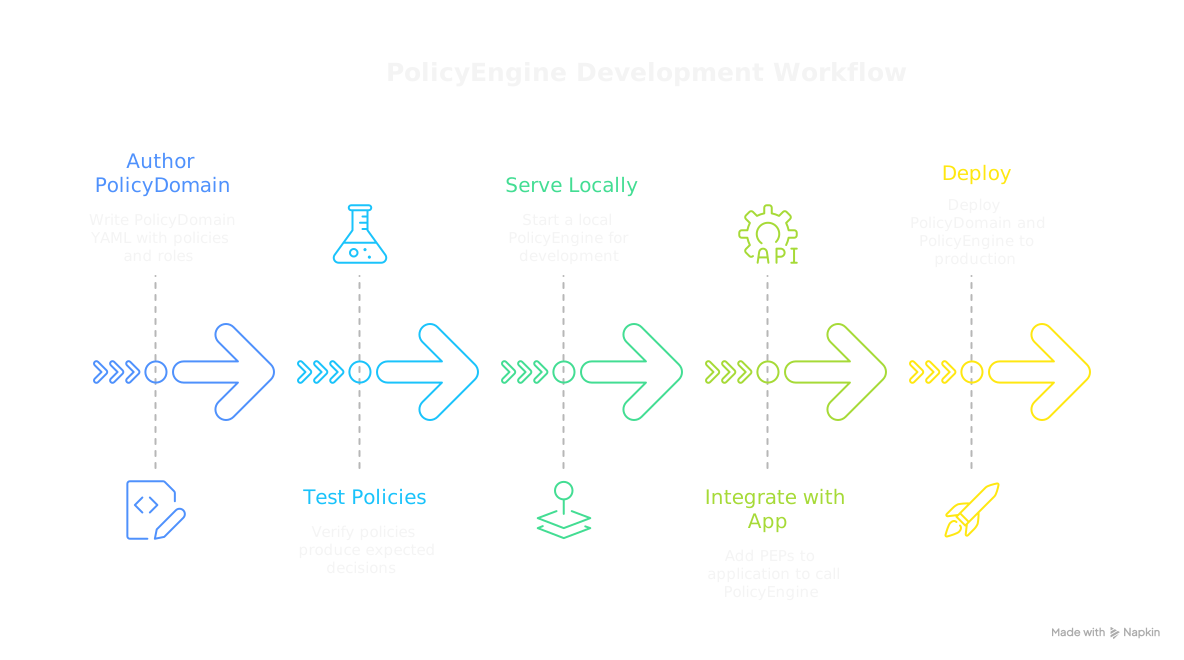
- Author: Write your PolicyDomain YAML with policies, roles, and other components
- Test: Use
mpe testto verify policies produce expected decisions - Serve: Run
mpe serveto start a local PolicyEngine for development - Integrate: Add PEPs to your application that call the PolicyEngine
- Deploy: Deploy your PolicyDomain and PolicyEngine to production
The mpe CLI tool supports each step of this workflow.
Putting It Together
Here's the complete picture of how a request flows through the system:
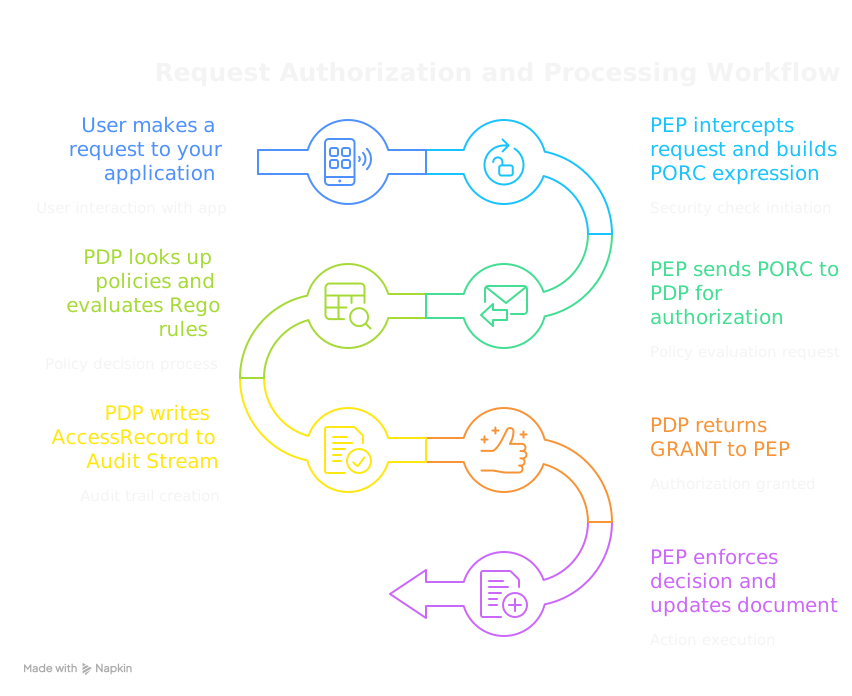
- A user makes a request to your application
- Your application's PEP intercepts it and builds a PORC expression
- The PEP sends the PORC to the PolicyEngine (PDP)
- The PDP uses its loaded PolicyDomain to look up the relevant policies and evaluate them
- The PDP writes an AccessRecord capturing the decision and all evaluated policies
- The PDP returns GRANT or DENY to the PEP
- The PEP enforces the decision
The ordering of steps 5 and 6 is intentional: the audit trail is committed before the decision is returned. This ensures that a complete record exists before any action is taken on the outcome.
Why This Architecture Matters
The PEP/PDP separation provides several important benefits for modern applications:
Decoupled Policy Updates
Because policies live outside your application code, you can update access control rules without recompiling or redeploying your applications:
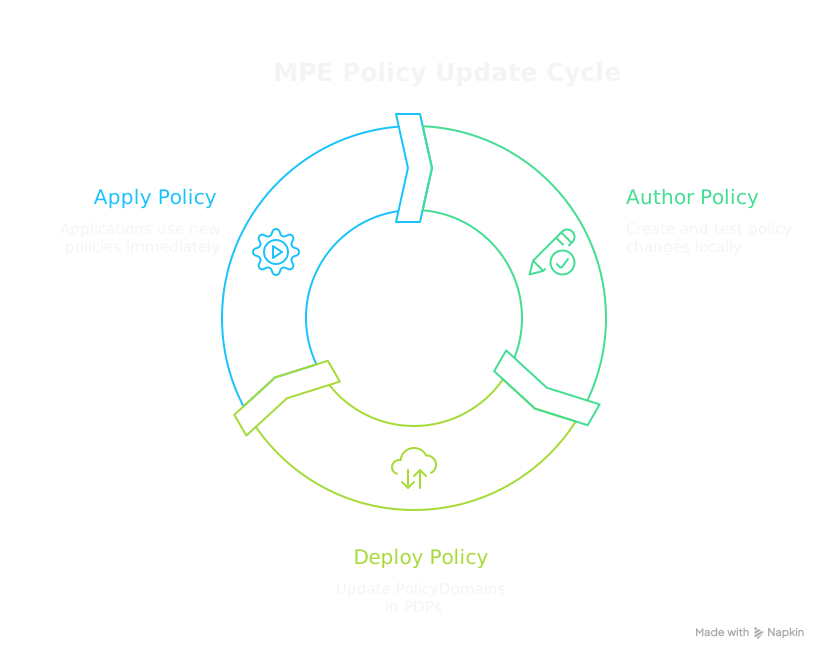
:::tip Premium Feature: Dynamic Updates In the Community Edition, the PDP loads policies at startup. The Premium Edition adds dynamic policy rollout with a sophisticated cache-coherency algorithm—policies are updated across all PDPs in real-time without any restarts, keeping policy management centralized while decisions scale out to the edge of your network. :::
Flexible Deployment Patterns
The PDP can be deployed in multiple configurations depending on your needs:
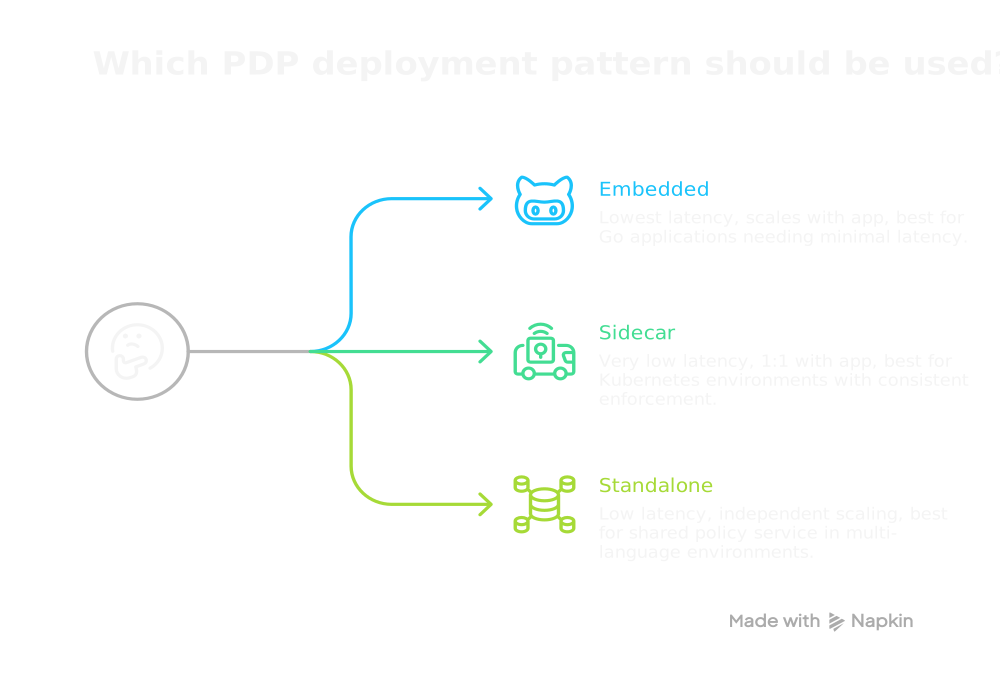
See Deployment Architecture for more details.
Horizontal Scalability
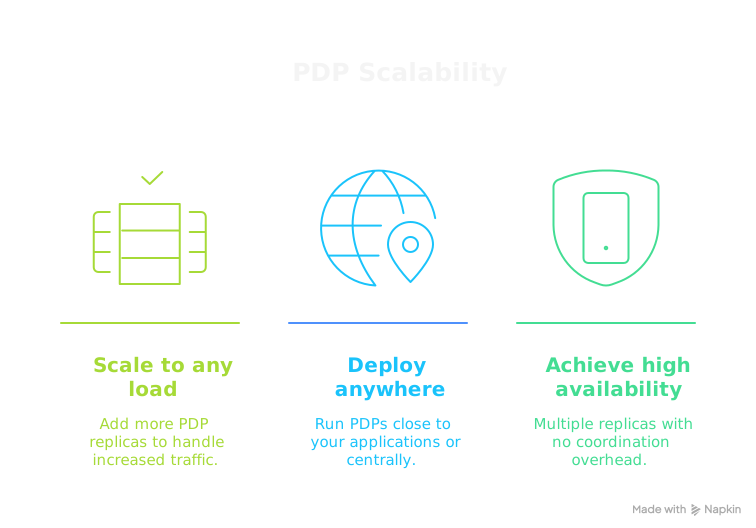
PDPs are stateless—they maintain no per-request state and make decisions based solely on the PORC input.
Language-Agnostic Authorization
The HTTP API enables consistent authorization across all your services, regardless of implementation language:
All services share the same PolicyDomain, ensuring consistent access control rules across your entire architecture. When policies change, every service immediately enforces the updated rules.
What You'll Learn Next
Now that you understand how the pieces fit together:
- Getting Started — Install the
mpeCLI tool - Quick Start — Create your first PolicyDomain and test it
- Integration — Build PEPs in your application
The rest of the documentation dives deeper into each component. The Concepts section covers each PolicyDomain component in detail, and the Reference provides complete CLI and schema documentation.